
charge your mouse
a nudge at shutdown when your magic mouse is running low,
so it charges overnight.
why
the magic mouse charges through a port on its belly, so you can't use it while it charges. the only good time to plug it in is when you're done for the day.
which is exactly when you forget.
then it dies at 10:14 the next morning, halfway through something.
what it does
when you shut down, restart or log out, it checks your mouse's battery. if it's low, this shows up for four seconds:
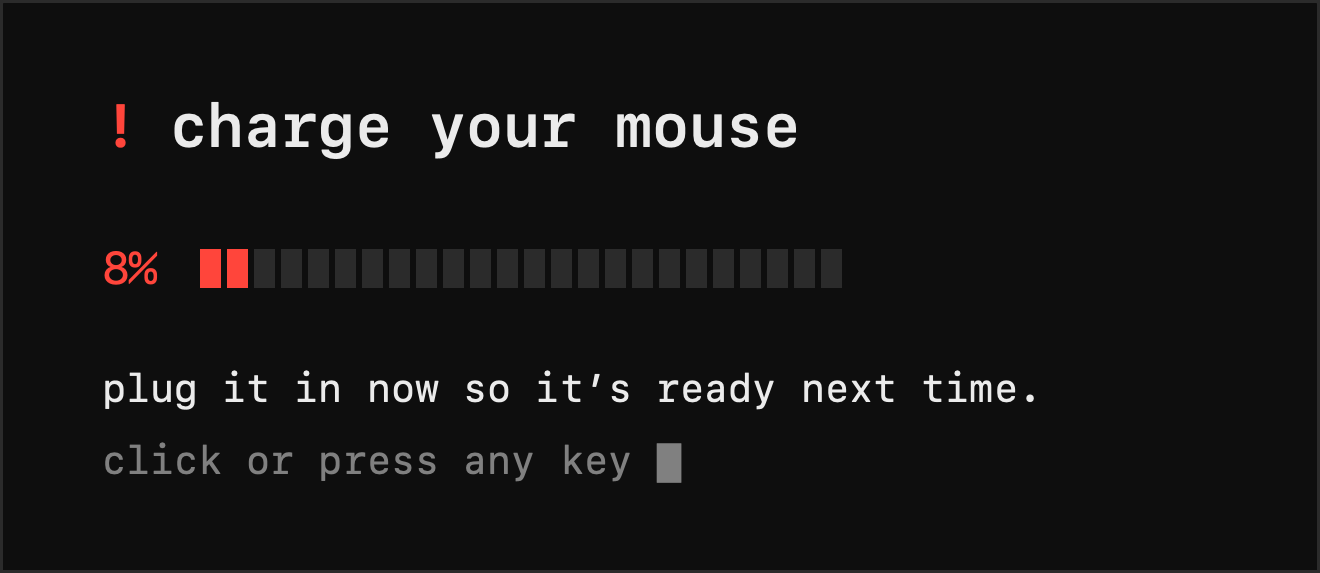
then your mac carries on shutting down. click or press any key to skip the wait.
details
- runs in the background. no menu bar icon, no dock icon.
- reminds you at 5, 10, 15 or 20%. 10% to start with.
- battery above that, or the mouse on its cable: nothing shows and nothing waits.
- mouse switched off before shutdown: it uses the last reading from the past two days.
footprint
measured on a running copy, 40 minutes in:
- cpu
- ~0%. 0.2 seconds of cpu time in 40 minutes.
- memory
- ~21 MB.
- battery
- reads the level every 10 minutes from what macOS already knows. it never wakes the mouse, so it doesn't drain it.
- network
- none.
install
- download and open ChargeYourMouse.dmg.
- drag charge your mouse into applications.
- open it once. from then on it starts with your mac.
the app isn't notarized by apple, so the first time macOS won't open it. go to system settings → privacy & security, scroll down and click open anyway.
change or remove
open it again from applications or spotlight to change the threshold, turn off open at login, or uninstall.
download for mac